
:format(webp))
:format(webp))
For thirty years, enterprise software has worked one way. You buy a system, and then you reshape your processes to fit what the system expects. The CRM dictates how you track deals. The ticketing tool dictates how support works. The gap between how your team actually operates and how the software thinks it should operate becomes a permanent tax - paid in workarounds, spreadsheets, and the quiet frustration of people who know their job better than their tools do.
The promise of AI was that this would change. If software could be written in natural language, teams could finally build tools that matched their processes instead of the other way around. The advent of "vibe coding" brought us closer. But the promise had a quiet condition attached: someone still had to be a developer. Even when the AI wrote the code, a human still needed an environment to run it, a repository to store it, a pipeline to deploy it, and the technical judgment to keep it secure and alive. The barrier moved but did not disappear.
Today, we are releasing nuwacom Apps - and the condition is gone.
Think about what that actually means. An executive who needs a live dashboard drawing from three internal data sources describes what they want - and has a working tool within half an hour, without opening a BI project or filing a ticket with engineering. A communications lead describes an interactive infographic for an upcoming internal campaign and watches it take shape in natural language. An HR manager builds a custom onboarding tracker that fits exactly how their team operates, not how a generic HR system thinks onboarding should work. No developers. No deployment decisions. No waiting. All they need is a description of what they want, and they get a tool that does it - running inside the environment that already knows their company.
What Apps actually is
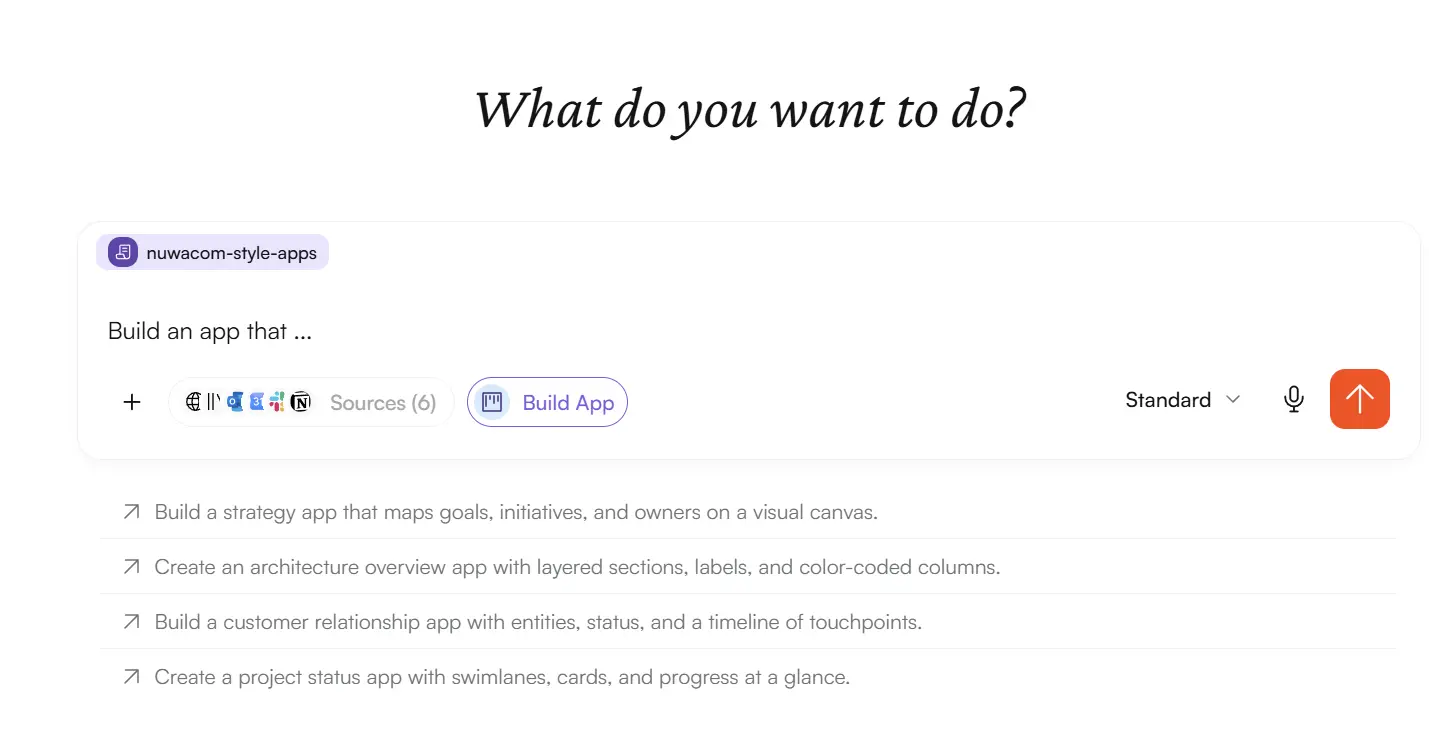
Apps lets teams build interactive business software entirely in natural language, directly inside nuwacom. You describe the tool you need in the App Builder, and nuwacom writes the code, tests it, and deploys it into a secure sandbox - all within the platform itself.
The word "business" in "business apps" is deliberate. This is not a tool for building marketing sites or consumer products. It is for building the internal software that runs a company: the trackers, dashboards, and process tools that every team improvises today because no off-the-shelf product fits closely enough.
The structural difference from existing approaches lives in that last step - deployment. With conventional natural-language coding tools, the AI produces an artifact that you then have to take somewhere: a development environment, a Git repository, a deployment pipeline, a hosting solution. nuwacom Apps removes that entire chain. There is no GitLab to configure, no pipeline to maintain, no separate place where the app has to go live. The AI writes the code, validates it, and runs it in an isolated sandbox inside nuwacom. For the person building the App, the distance between "I need a tool that does this" and "the tool exists and my team can use it" collapses from months to hours.
Each App runs in an isolated sandbox on its own address, separated from the platform and from every other app in your workspace. What makes the sandbox genuinely useful - rather than merely safe - is what we call the platform bridge: Apps cannot call external services directly but the platform bridge connects it to your workspace data, AI capabilities, and your connected services. And no app ever handles credentials; the platform brokers every connection on behalf of the user. This architecture ensures that you get capable apps without sacrificing data protection.
Why running inside nuwacom changes what an app can do
An app is only as useful as what it can reach. A beautiful interface with no access to real data is a prototype, not a working tool. This is where building inside an AI operating system produces capabilities that a standalone app builder structurally cannot provide.
Apps built in nuwacom can interact with the modules already running in your environment. They can call Skills to apply your team's defined ways of handling specific tasks. They can read from the Knowledge base, drawing on company knowledge - including knowledge held in connected software systems. They can use Connectors to reach the tools your company already runs. And the Orchestrator can build business apps through Apps, which means app creation itself becomes a capability of the system.
One design decision deserves particular attention: Apps in nuwacom do not require nor create a separate database that lives outside your governed environment; an app draws from and writes into your connected tools through Connectors. The practical consequences matter:
Apps work consistently within your existing setup. When an app updates a record, it updates the record in the system that already owns it - not in a parallel copy that immediately starts drifting out of sync.
Existing permissions govern the data. Because the app writes through your connected systems, the access rights those systems enforce continue to apply. The app does not become a side door around your governance.
No shadow data stores. Every internally built tool that spins up its own database is a new place where sensitive company data accumulates unseen. Apps avoids creating that surface area by design. Data stays where it is governed.
For an audience that has watched well-intentioned internal tools turn into compliance liabilities, this is the difference between a tool you can sanction and a tool you have to police.
Governance: easy permissions and inherited rights
A tool that lets anyone build software that touches company data needs a clear answer to "who is allowed to do what." Apps inherits its answer from the same principle that governs the rest of nuwacom: rights are not bolted on afterward, they are part of the architecture.

Customers control on a per-role basis who can build apps and who can use them. The two are separate permissions, because they are separate kinds of trust - the ability to create a tool is not the same as the ability to run one. And when an app reaches into a connected application, the rights defined in that application are inherited and upheld. A user building a nuwacom App that interacts with another application sees exactly what their existing permissions allow them to see and nothing more. The app does not widen anyone's access; it operates within the boundaries already drawn.
What our teams are building
The clearest way to understand a general-purpose tool is to look at specific things people make with it. Here are some of the apps our team at nuwacom is using today:
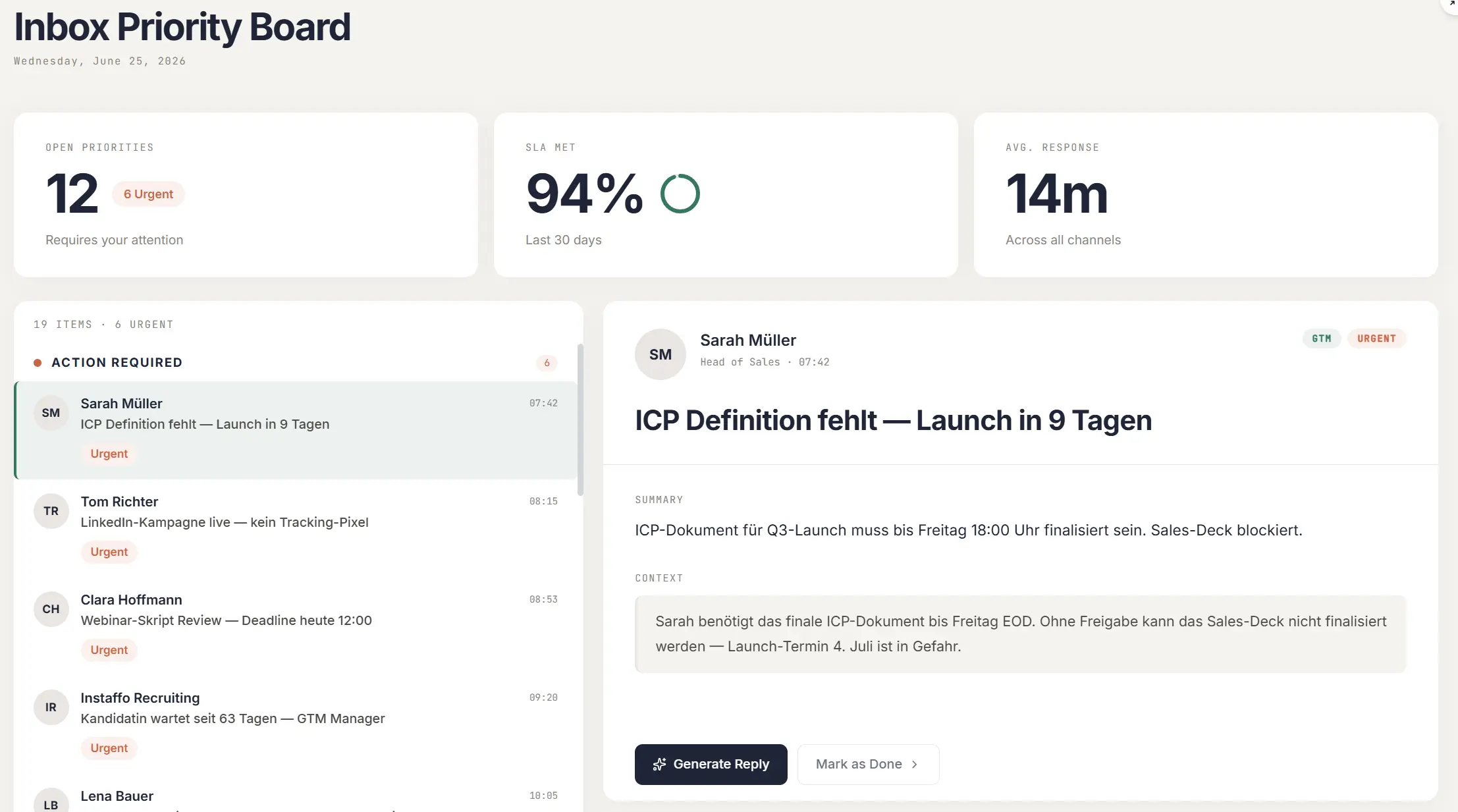
Inbox Helper
This useful app was developed by a colleague with a notoriously flooded inbox. The app connects to it, knows the users priorities and current topics from the context in nuwacom and uses that information to surface the most relevant items, and even suggests replies based on that.
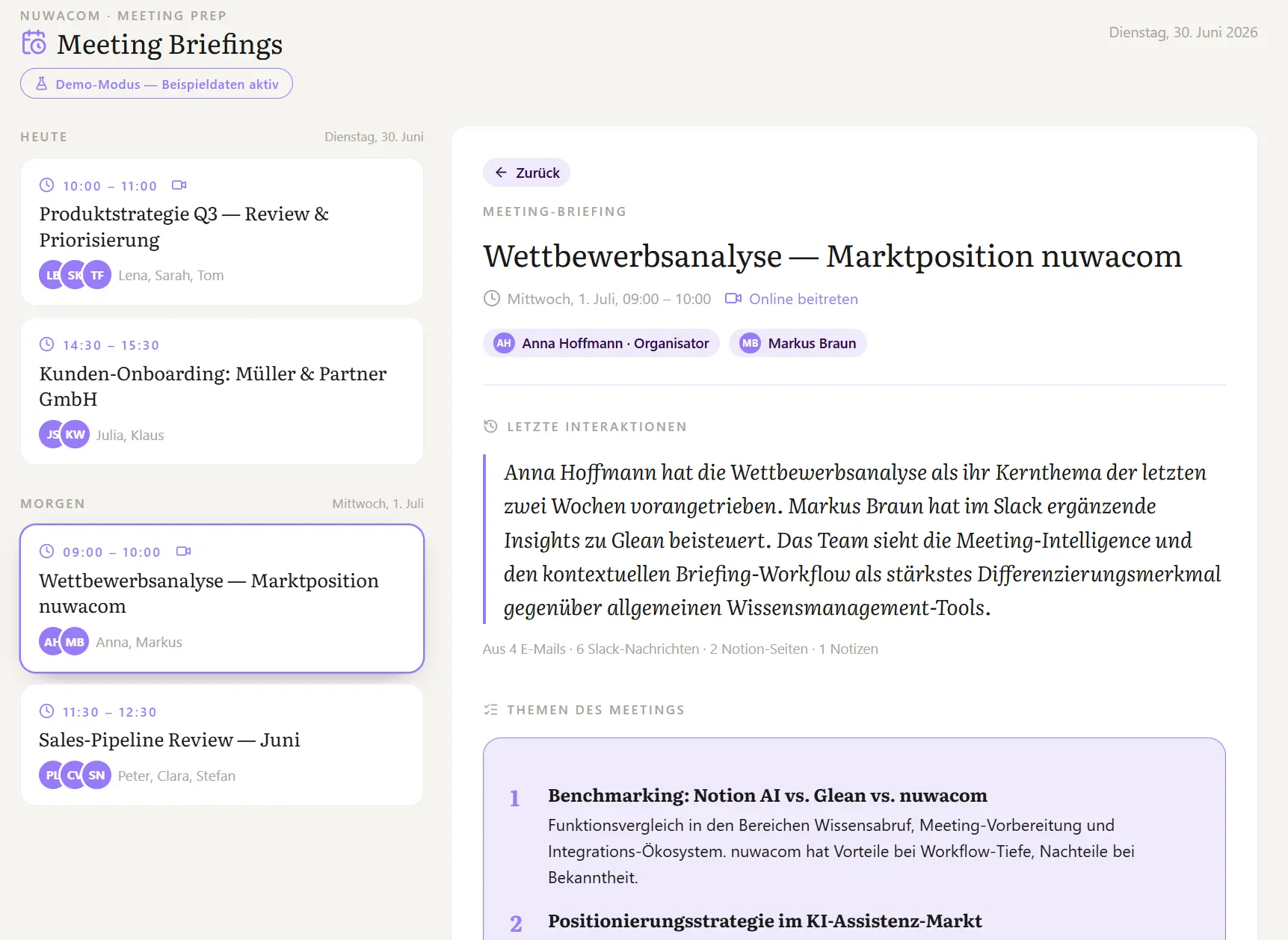
Meeting Briefing App
The meeting briefing app is connected to the user's calendar and pulls conversation history with the meeting participants from various channels, including emails, Slack messages, meeting notes and HubSpot. It analyzes the information, compares it to the meeting information, and gives a detailed meeting briefing, including recommendations for topics to tackle. AI is not only driving the logic behind it but the user can also chat with the app to give feedback that directly updates the briefing.
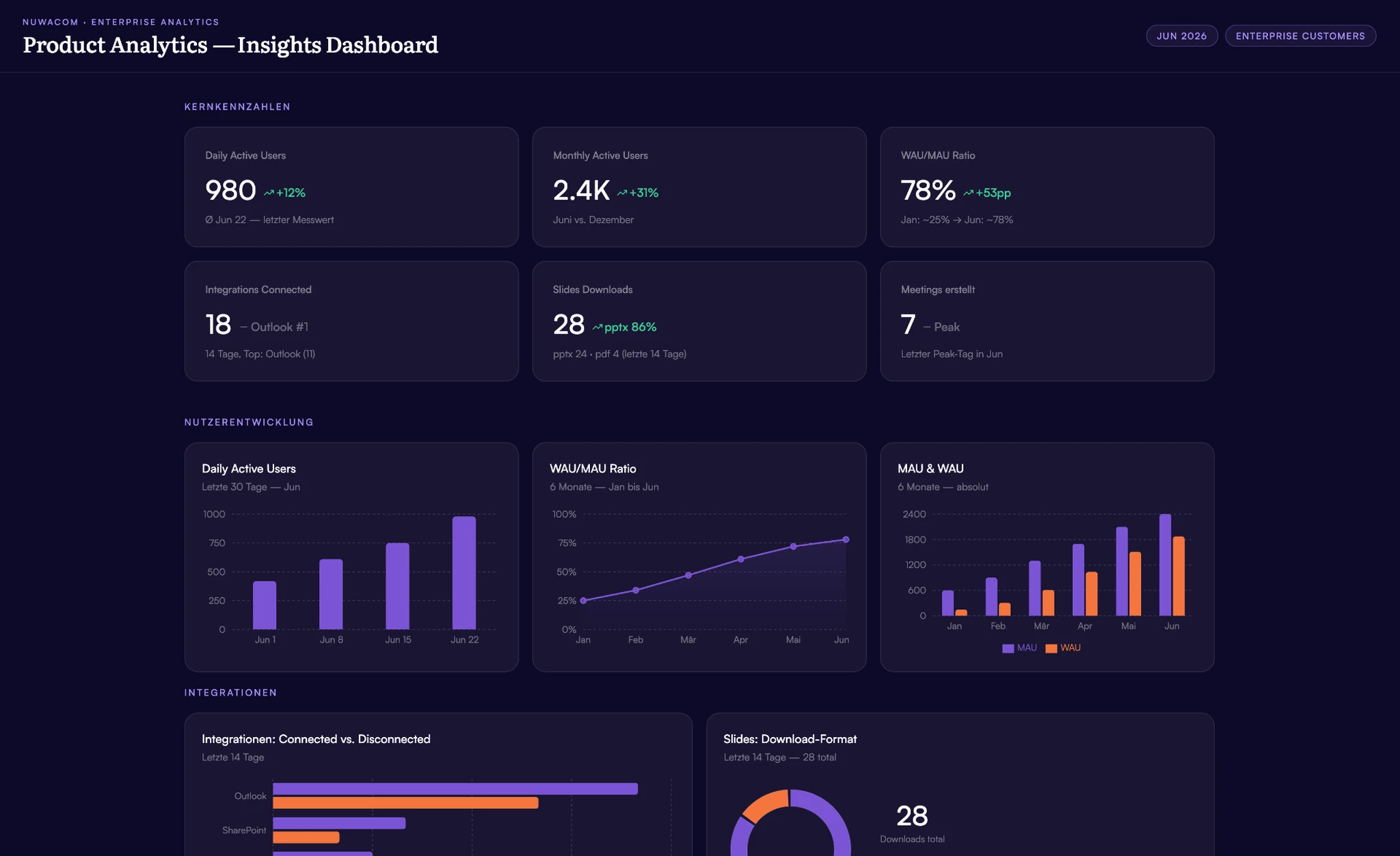
Web Performance Analyzer
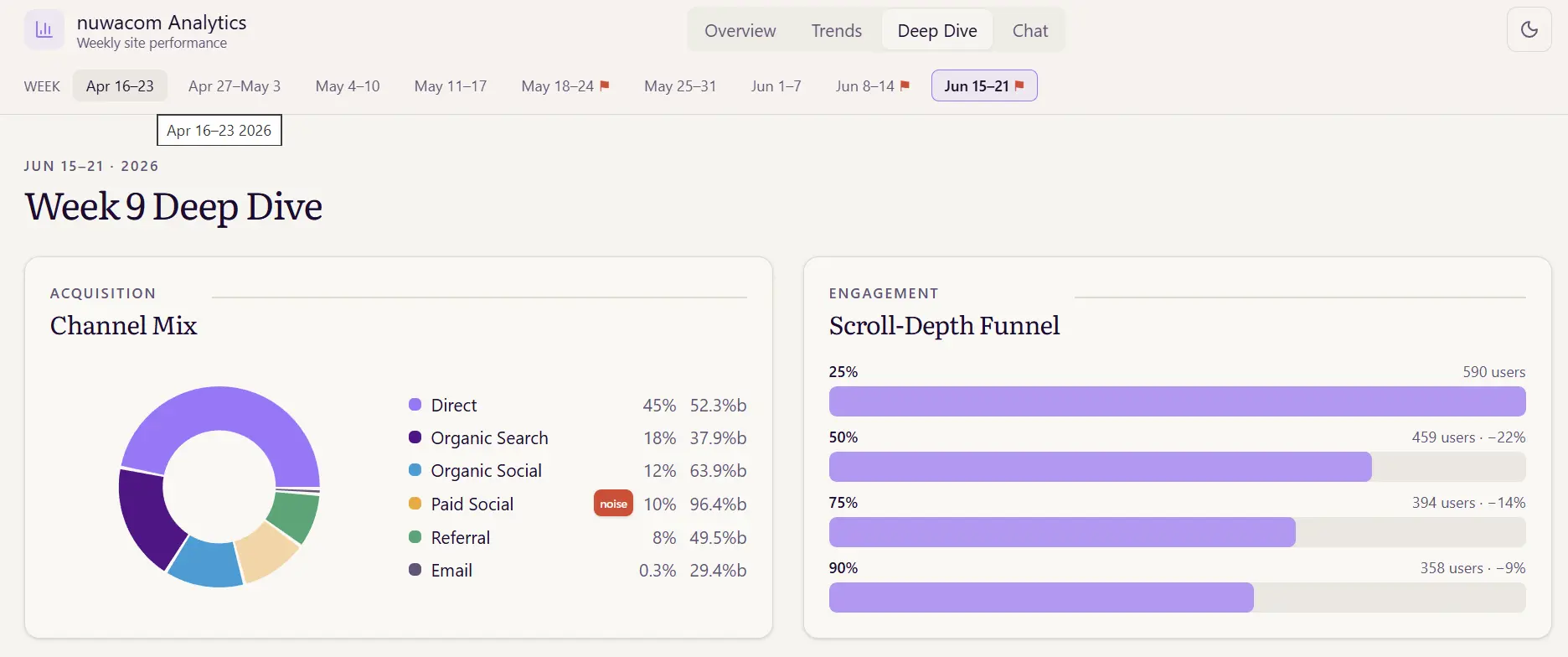
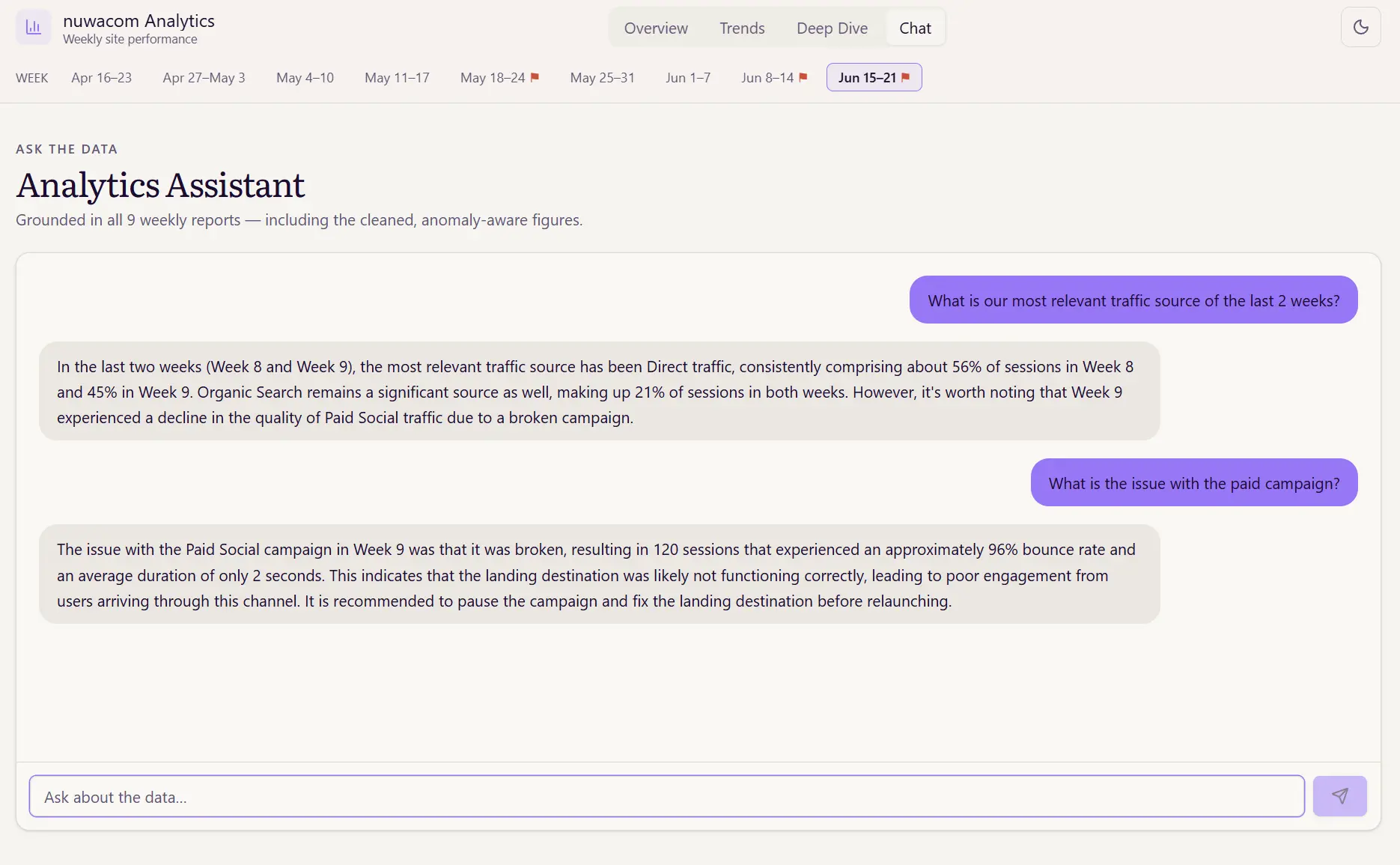
This one goes beyond. It aggregates data from Google Analytics and Google Tag Manager. Then, it analyzes the data, flags anomalies and visualizes the data. It also allows the user to directly chat in the app to ask questions about the data and surface new insights. (And we also built a little demo mode with auto-generated mock data into the app so we could share screenshots without doxxing ourselves ;))
AI ROI Calculator
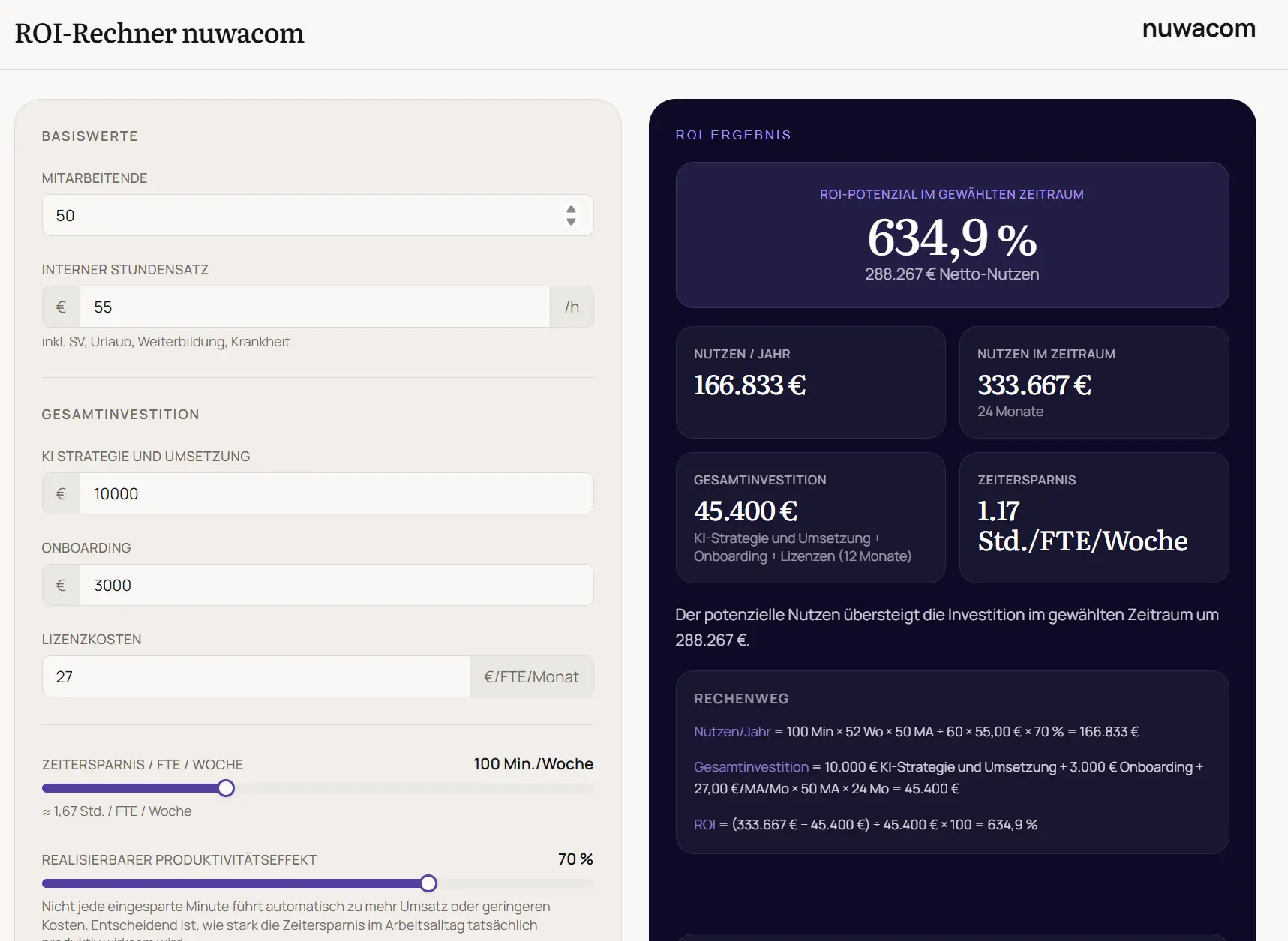
Our sales team regularly has to answer questions about ROI. So they created a simple-but-effective ROI calculator. Based on a few inputs the app calculates the ROI. As it is so simple, our reps can use it live in meetings with customers and answer one of the most pressing questions in an elegant manner.
What connects these four use cases is not complexity. It is fit. Each app matches a real process closely enough to be used every day, but none of them would survive a traditional build-versus-buy conversation - they are too specific to buy, yet too niche to build them the old way.
Want to learn more? Join our free webinar.
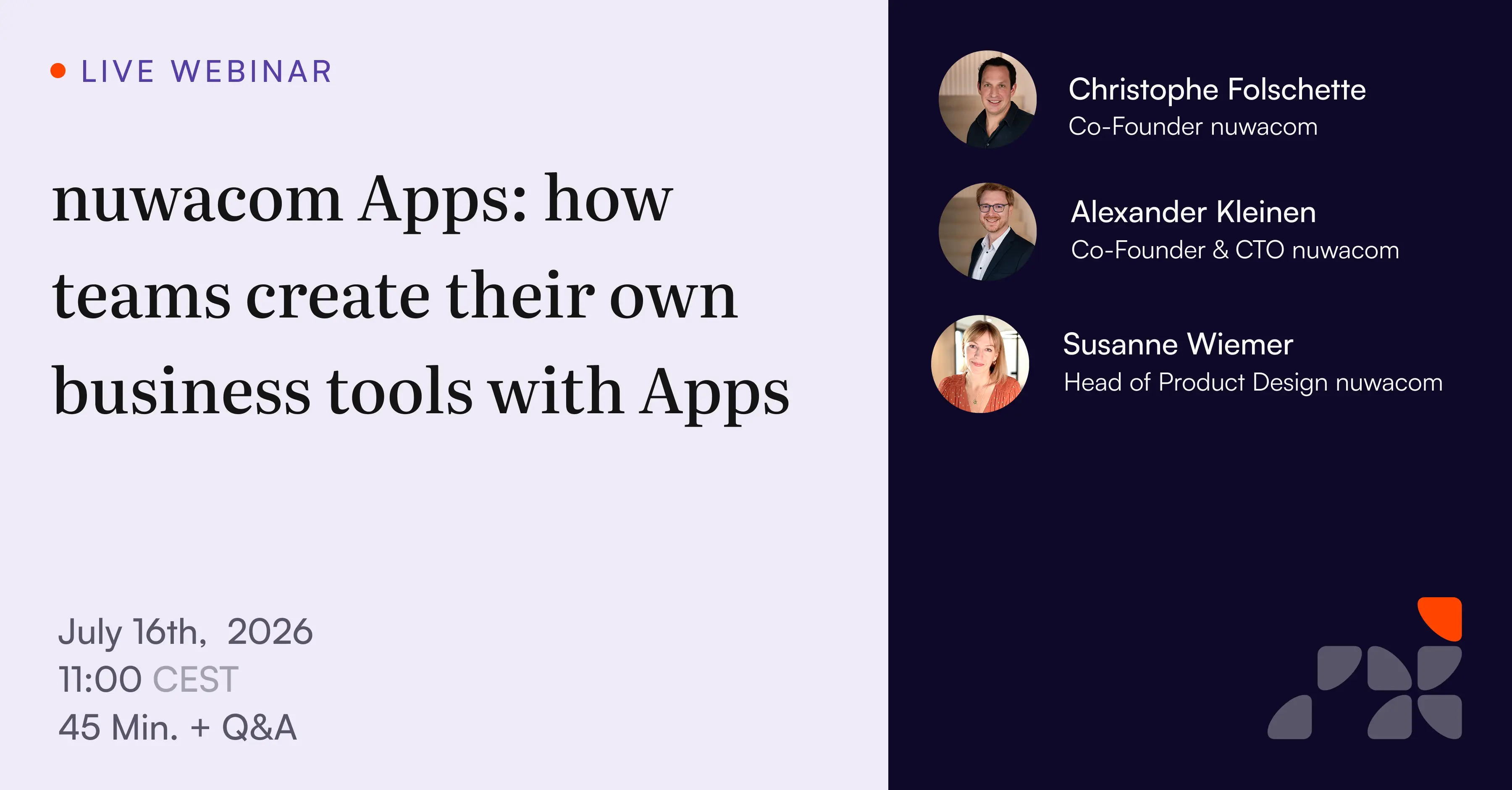 The webinar will be hosted in German but live translation is available. Sign-up here.
Where Apps sits next to Lovable and Claude Code
The natural-language software space is filling up, and the distinctions between tools matter more than the surface similarities. The clearest way to place Apps is by who it is for:
nuwacom Apps is for enterprise users what Lovable is for designers and builders, and what Claude Code is for developers.
Each tool starts at a different place - and the starting point determines what it produces. Lovable starts from an app idea; the result is an app. Claude Code starts from a codebase; the result is code. nuwacom Apps starts from a team's problem; the result is a secure business app that already knows the context it operates in.
That starting point is the distinction. With a general app builder, you can stand up an interface quickly - but data sources, permissions, security, hosting, and maintenance all remain problems to solve separately, after the fun part is over.
With a coding tool, developers move faster, but the work is still a software project with review, deployment, and ongoing technical upkeep. With Apps, the tool is inside the governed environment from the outset: connected to existing data sources, able to draw on company knowledge, respecting roles and rights, shareable internally with the right people. A department starts with a use case, not a software project.
Tool | Starts from | Produces | Built for |
|---|---|---|---|
Lovable | App idea | An app | Designers, marketers, builders |
Claude Code | Codebase | Code | Developers |
nuwacom Apps | Company process | A governed business app | Enterprise teams |
The first step toward apps as part of the operating system
Apps is nuwacom's first step toward custom business software becoming an integral part of the AI operating system our customers run. The longer arc of the nuwacom vision has always been the same: an operating system for the enterprise that connects chat, knowledge, data sources, agents, workflows, and the surfaces where people actually work. Apps adds the UI layer - the ability to turn knowledge, data, and process into a tool team members can open and use.
This is also why the deployment-in-place decision matters beyond convenience. An app builder that produces software outside the system produces more fragmentation - more tools that do not share what they know. An app builder that produces software inside the system produces the opposite: tools that inherit the company's context, governance, and memory by default. The point is not to make it easy to build another disconnected app. It is to make internal software a native part of an environment that already understands the organization.
Getting access
We are currently rolling out Apps progressively. Because the most useful first App is almost always one that fits a real process we can look at together, we recommend starting with a walkthrough. Book a demo to understand how you can use Apps for your own use case.
Admins of our existing customers have access to Apps starting immediately and can activate them in the permission settings per role.
Today's release marks only the beginning of nuwacom Apps. It is already a versatile tool that we are successfully using internally and are now making available to our customers and partners. But behind the scenes, our product team is already eagerly developing Apps further. If you don't want to miss what we release next, follow us on LinkedIn or subscribe to our newsletter."